What is Orpheus Deck?
Orpheus Deck 1.3 is a retro four-track Android recorder for musicians, songwriters, and audio creatives. It is built for getting an idea down quickly without turning recording into a complicated studio session.
ORPHEUS DECK 1.3 // GUIDE
How to use the four-track deck, what each shipped control does, and what to check when something sounds wrong.
The short path from an empty deck to a four-track recording.
Orpheus Deck 1.3 is a retro four-track Android recorder for musicians, songwriters, and audio creatives. It is built for getting an idea down quickly without turning recording into a complicated studio session.
Open PROJECTS, create a project, give it a name, and open it. A project keeps the recordings and settings for that song together.
Leave the tracks you want to hear available for playback, ARM the new track, then record while the existing tracks play. Repeat until you have built your four-track recording.
Use each track's volume control to set the balance. MUTE hides a track from playback without deleting it. SOLO lets you hear a track by itself.
Four mono tracks, deck controls, recording levels, and timing.
Orpheus Deck records a four-track mono workflow as 48 kHz PCM16 WAV audio.
If a recording is too quiet, raise the appropriate recording or track level gradually. If it is too loud or distorted when you do not want distortion, lower the level. Make level changes in small steps and listen again.
Headphones are recommended while overdubbing because they help keep playback from coming back through the phone speaker and into the new recording.
If Orpheus is using the wrong microphone, or recorded audio feels early or late against playback, open SETTINGS. Microphone selection and latency adjustment live there.
Orpheus Deck's family of focused audio tools.
O-FX is the deck family that contains shipped tools including the Advanced Metronome and LEVEL. The visible metronome machine may say CHRONOS O-FX inside the app.
Timing choices in Orpheus Deck 1.3, split clearly between Free and Pro.
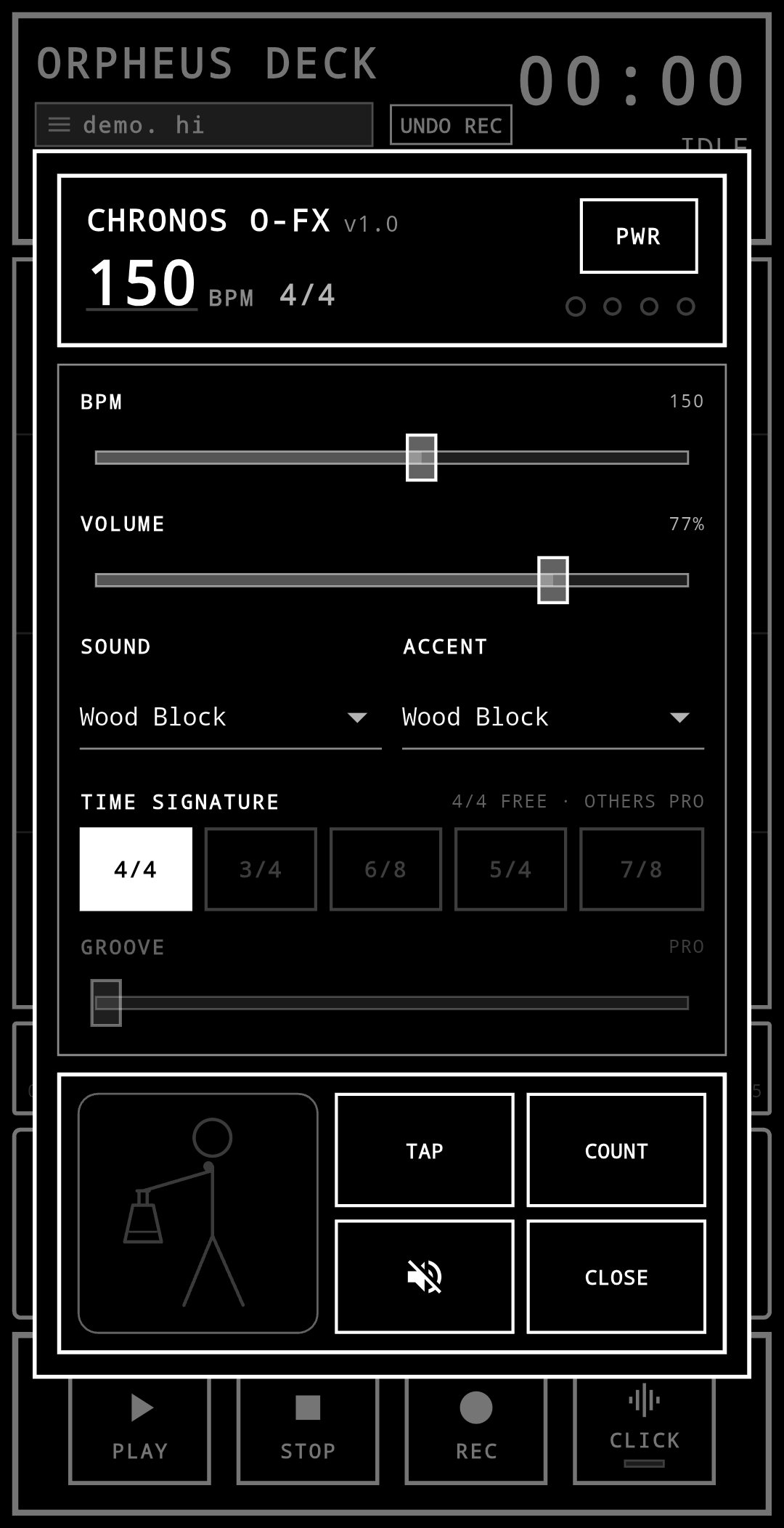
LEVEL remains Free forever.
Use LEVEL to set output gain and the peak ceiling used when rendering a Master Mix. Master Mix is an export render, not a permanent mastered playback mode.
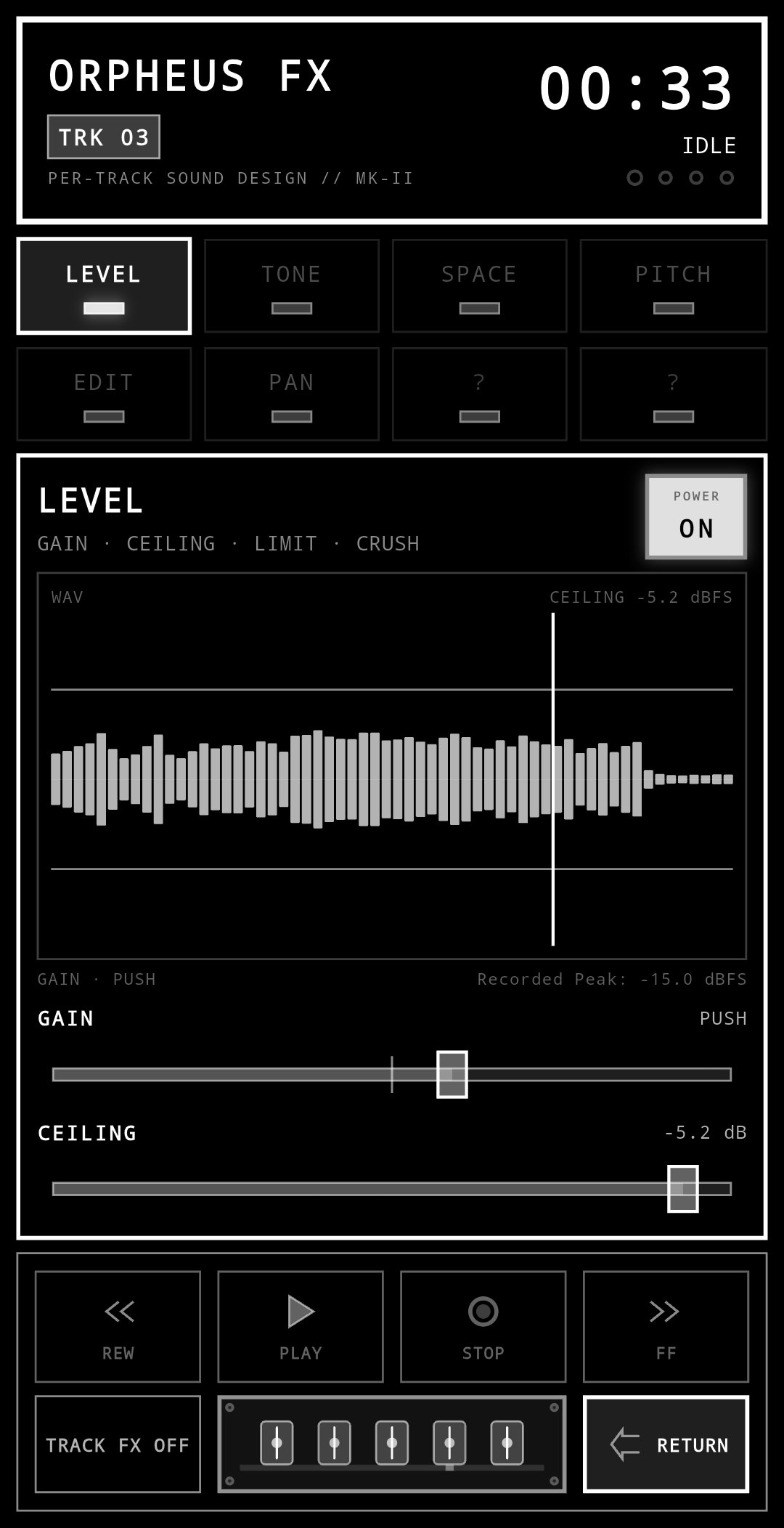
Raise GAIN to increase the output level used for the Master Mix render.
LIMIT sets the peak ceiling used for the Master Mix export render.
Browse waveforms for free; Pro unlocks non-destructive CUT.
EDIT provides waveform browsing with ZOOM and SCROLL. Pro unlocks CUT for non-destructive edit decisions.
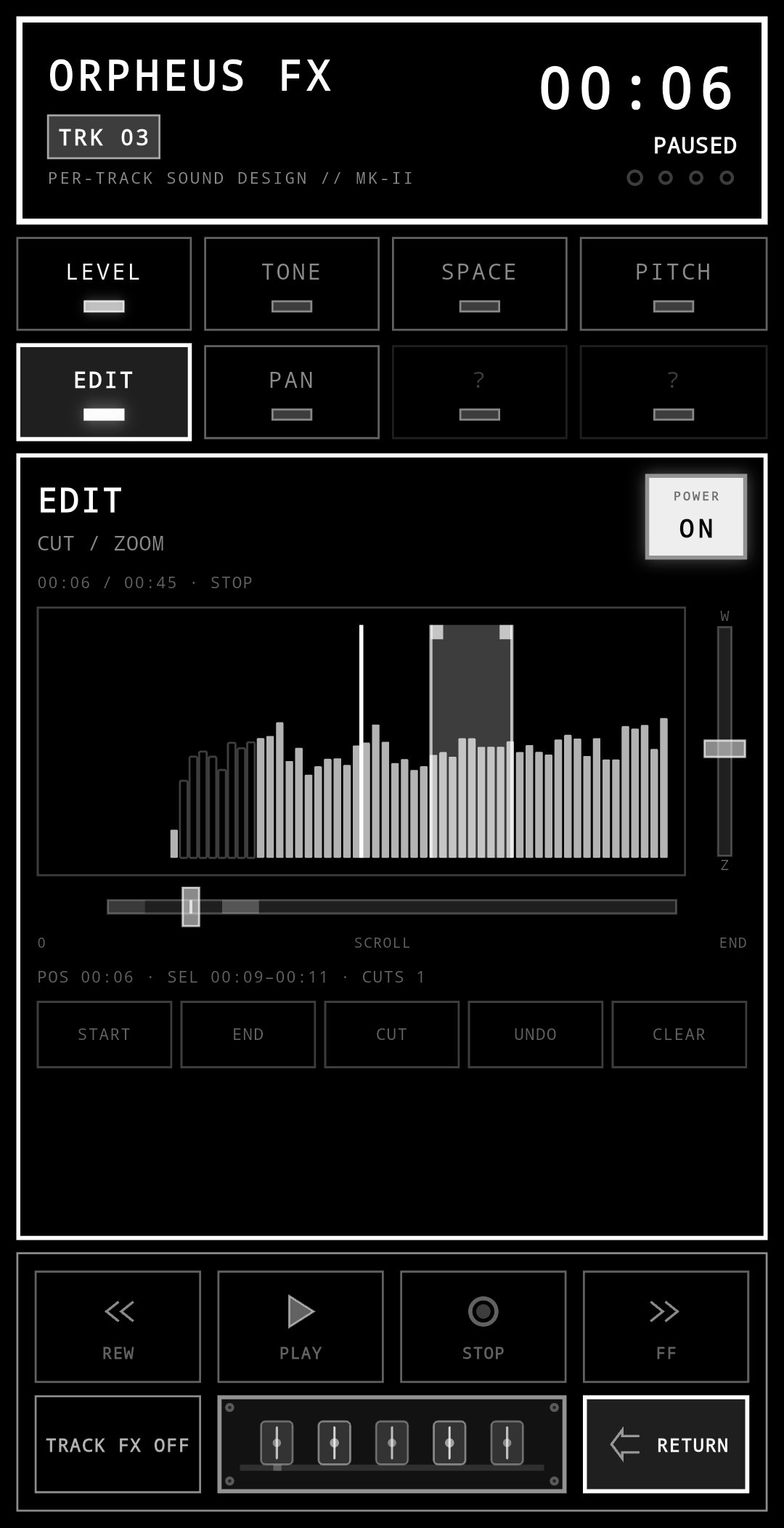
CUT is a Pro feature. Cuts are stored as metadata instead of changing the original recorded audio. You can make multiple cuts; each cut becomes a silent gap and does not ripple later audio earlier.
No. CUT is non-destructive and metadata-based. EDIT POWER bypasses the current cuts so you can compare the uncut playback, then reapplies them when turned back on.
One-level UNDO REC restores the prior recording or clip state together with its prior cut layout.
CUT placement in the extreme end or final second can be awkward. Orpheus Deck does not claim perfect sample-end trimming.
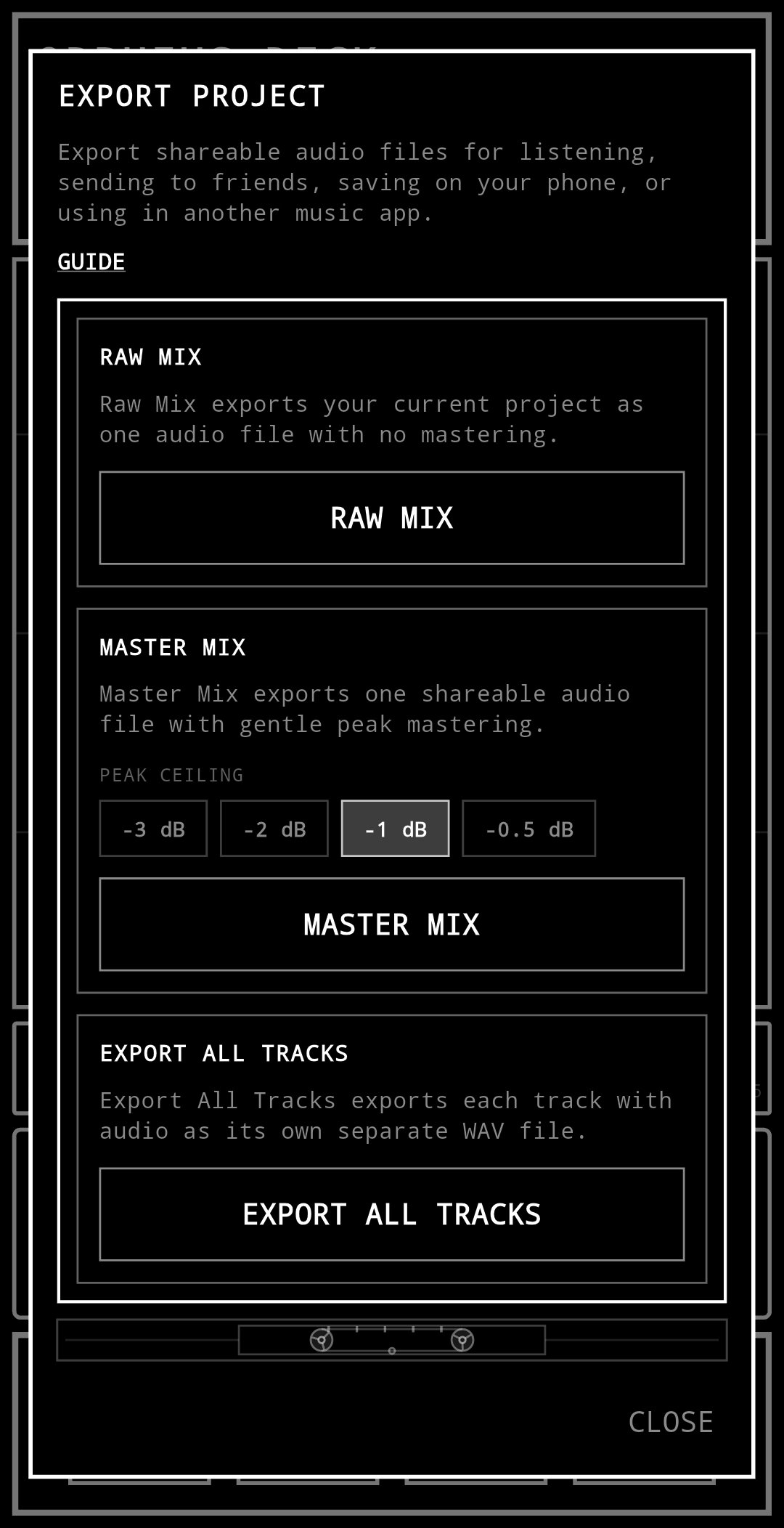
Where songs live, how audio is stored, and what each export choice does.
Use PROJECTS to create, open, and manage song projects.
Orpheus is local-first. Projects and recordings stay on the device unless you intentionally export or share them. Orpheus does not automatically upload your recordings.
The deck records four-track mono audio as 48 kHz PCM16 WAV.
Yes. Import WAV is a Pro feature.
Master Mix applies a peak ceiling during the export render. It is not a permanent mastered playback mode.
The free four-track deck and the optional Pro additions in release 1.3.
No. The core four-track mono recorder and LEVEL are free.
What Orpheus Deck does and does not do with app and recording data.
No. There are no ads.
No account or special sign-in is required.
Projects and recordings are local-first. Orpheus does not automatically upload your recordings.
The current Google Play Data Safety entry says the app does not collect or share user data. Advertising ID is not used.
Check these first when the deck is not doing what you expect.
Check the Android microphone permission, then open SETTINGS and confirm the intended microphone is selected.
Check phone or headphone volume, track volume, MUTE and SOLO state, and the active output path. If the problem continues, report the project type and what you expected to hear.
Open SETTINGS and review the latency adjustment.
Non-destructive EDIT CUT is a Pro feature.
Master Mix applies the selected peak ceiling during export. It is an export render, not a permanent mastered playback mode.
If the answer is not here, tell me directly.
Open the Orpheus Deck support channel. Report a bug, ask a question, or just say hi — it all goes to the same secure channel.
Orpheus Deck is made by Junkfeathers Tech — strange music technology built with a musician's point of view.
JUNKFEATHERS TECHJUNKFEATHERS TECH ON YOUTUBE ↗MUSIC ARCHIVE
Send a direct message. This does not subscribe you to updates.
Check your inbox to confirm your subscription.
Receive email updates from Junkfeathers. Unsubscribe anytime. Privacy Policy.
Optional analytics cookies help me see what people actually use, improve the website, and decide what strange thing to build next. Google Analytics only loads if you allow it. No advertising personalization.